Color Override workflow
How to override the theme in your project using the Design System
To handle the color design system (i.e., theme/style overriding) in your project, follow these steps:
1. Obtain color Design Tokens
The design team must provide you with the following color design token files:
brandColorTokens.jsonsemanticColorTokens.jsoncomponentColorTokens.json
2. Generate CSS Variables
- Clone Product repo: https://github.com/deltatre-vxp/axis-app-web in your local.
- Run
yarn install
- Navigate to:
axis-app-web/node_modules/@deltatre-vxp/axis-design-system/tokens - Replace the existing color token files (
brandColorTokens.json,sematicColorTokens.json,componentColorTokens.json) with the new ones provided by your project's design team. - Open
axis-app-web/src/packages/build/script/buildCss.cjs - Set the parameter
isClientOverride: truein thebuildWebPlatformmethod. - Ensure that only the color token files are provided as input to the
buildWebPlatformmethod.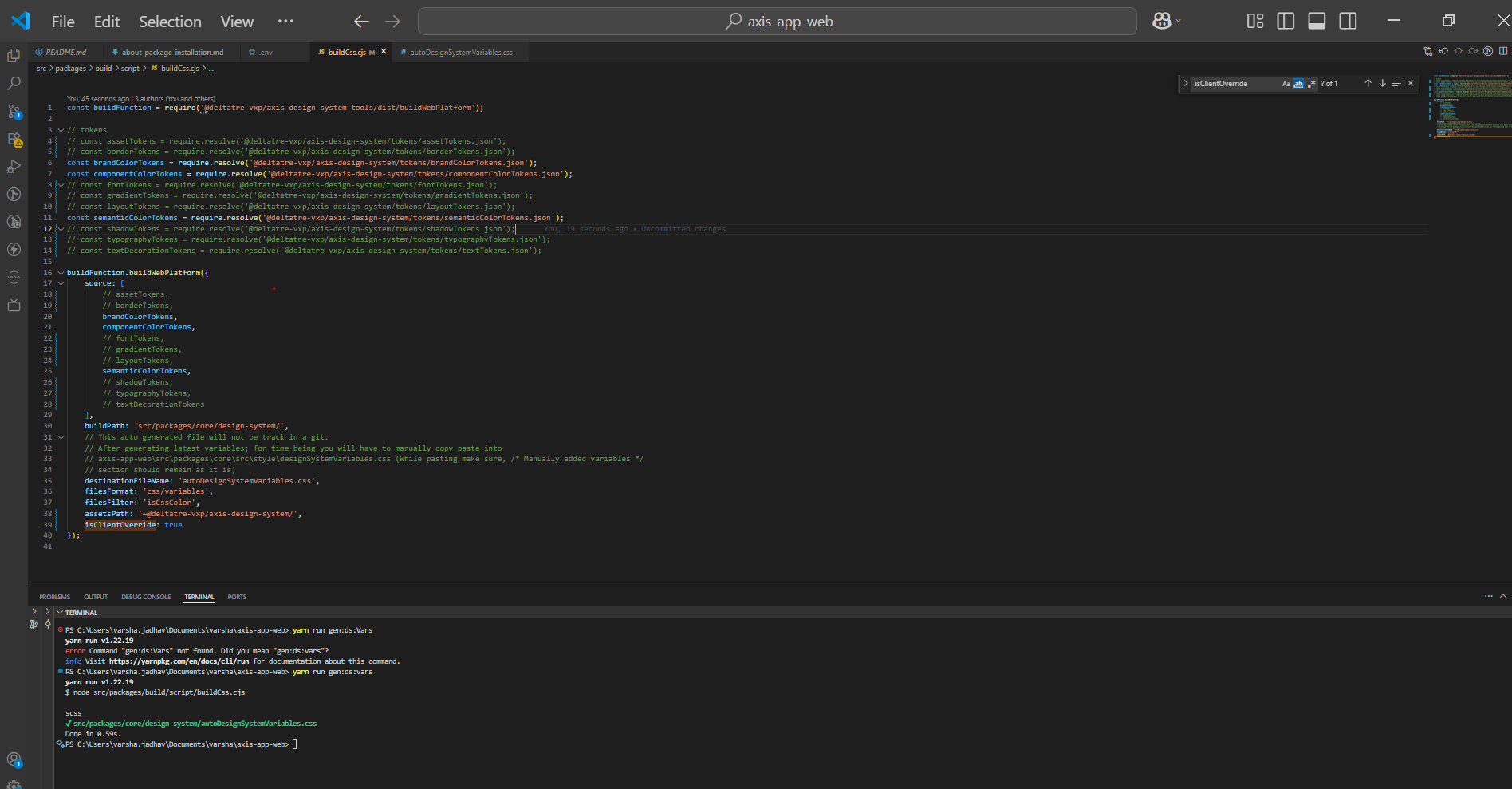
- Open terminal and run following command:
This will generate the CSS variables. The terminal will display a file path—open this file and copy its content.yarn run gen:ds:vars
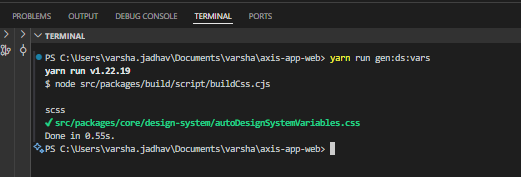
Note: Do not commit anything in Product repo. These steps are just to generate project's css variables, As currently build script is part of Product repo. Our future plan is to move it somewhere in common repo.
5. Apply the generated CSS to your project
- Go to your project repository.
- Locate the design.css file (typically found at projectrepo/src/design.css).
- Paste the copied CSS variable content into this file.
6. Run and Verify
Start your project.
yarn start
You should now see the theme updated with your project's brand colors.