Gradient Override Workflow
To override gradient styles in your project, follow these steps:
-
Identify the Gradient Variable
- By default, all product gradient variables are applied out-of-the-box (OOTB).
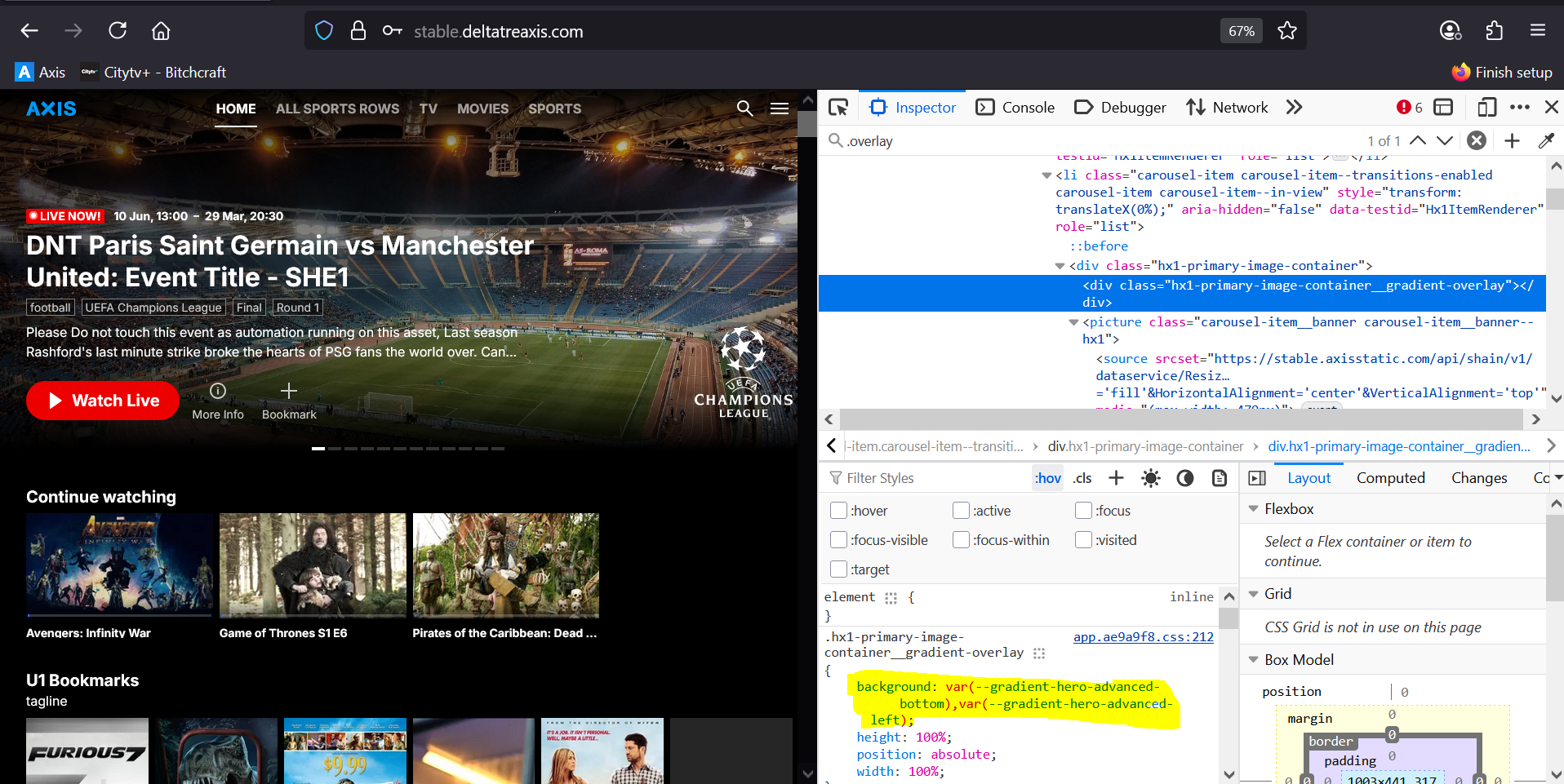
- If a particular element requires a different gradient style in your project, use your browser's inspect element tool to locate the relevant CSS variable.
- Example inspect element screenshot:
-
Override the Gradient Variable in design.css
-
Go to your project's
design.cssfile (usually atproject-repo/src/design.css). -
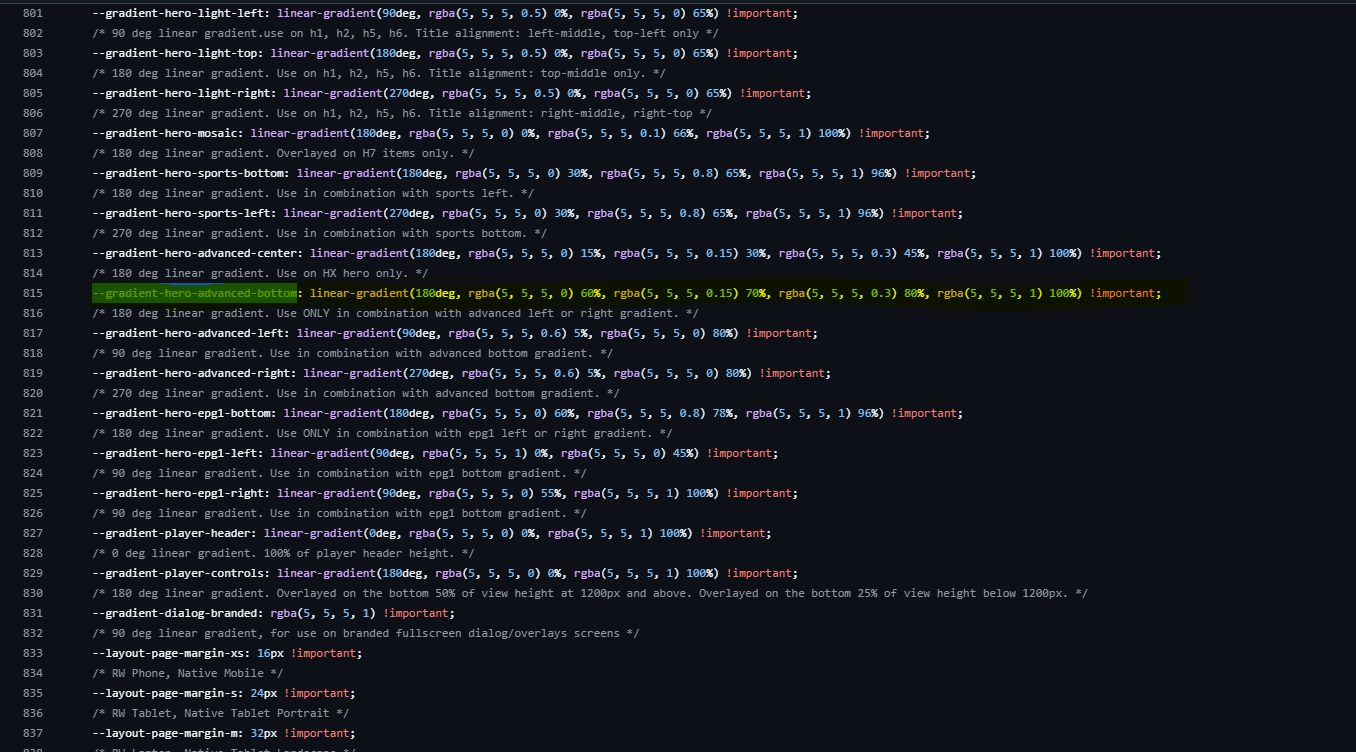
Add the same gradient variable and provide your overridden value with the
!importantkeyword. -
Example design.css screenshot:
-
-
Run the Project
- Start your project with:
yarn start
- You should now see the updated gradient style applied to the element.
- Start your project with: